Description
This feature is only available on IPTV boxes with the 1.21 Software Update
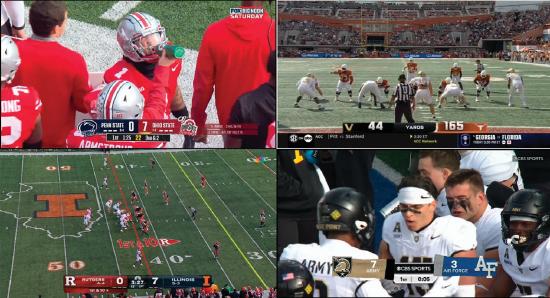
-
- The MultiView feature allows you to watch up to four live television programs or video feeds simultaneously on a single screen.
- It is highly popular for sports, news, and keeping up with multiple live events at once.
-
Accessing MultiView
-
- From the home page, scroll to MultiView from the options ribbon (see steps)
- Select one of the channels in MultiView using your remote's [UP], [DOWN], [LEFT], [RIGHT] keys
- When highlighted, you hear the sound from that channel. You can also change channels within that single window without disturbing that other views
- Press the remote's OK button to jump to the selected channel
-
Setting Screen Amount
-
You can set the MultiView feature to a 2 or 4 screen experience
-
|

